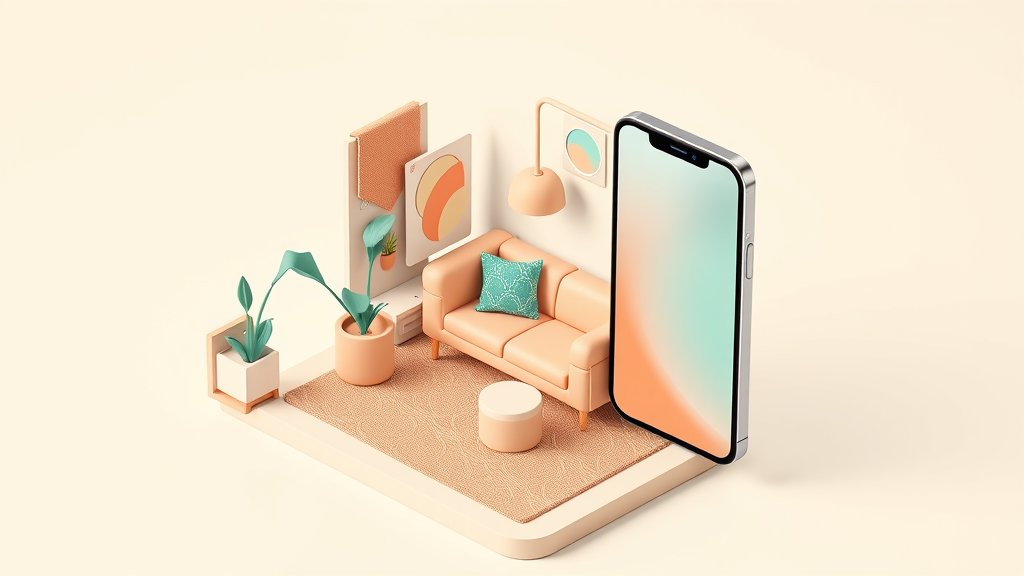
Digital Business Card for Interior Designers: Turn Every Intro Into a Portfolio Moment


A BizBuzz card for interior designers
Everything below, already built in. Skip to it whenever you like.
You meet a potential client at High Point Market or NeoCon, exchange pleasantries, and hand them a paper card they will likely forget in a drawer. Industry research widely cited across the trade suggests roughly 88% of paper business cards are discarded within a week. For interior designers, whose entire pitch is the visual work, that is an expensive miss.
A digital business card for interior designers fixes this by turning a simple contact share into an instant portfolio reveal — complete with before-and-after photos, your design aesthetic, and a one-tap contact save. No print run. No white-out when your phone number changes. And when a client taps or scans your card at a trade show, you know about it.
Why Interior Designers Specifically Benefit from Digital Business Cards
Most professionals can get away with a text-only card. Interior designers cannot — your work is inherently visual, and a white cardstock rectangle communicates almost nothing about what you actually do.
Digital business cards let you attach a live portfolio mini-site to your contact information. When a prospect taps or scans your QR code, they land on a branded page showcasing your best projects, your design niche (hospitality, residential, commercial), client testimonials, and a clear next step — whether that is booking a consultation, viewing a mood board, or signing up for your design newsletter.
The Portfolio Gap in Traditional Networking
Interior designers typically bridge the portfolio gap with:
- Instagram or Houzz profiles (requires the prospect to remember your handle and search later)
- PDFs on their phone (awkward, poor UX on most devices)
- A website URL written on a card (one more step the client probably will not take)
A digital business card collapses all these steps. The prospect scans once, sees your portfolio instantly, and saves your details with one tap.
Mobile Traffic Is Where Clients Are
According to research published by Easle.io, 68% of interior design website traffic now comes from mobile devices. If your portfolio link requires a laptop to look professional, you are losing more than half your audience before they ever see your work.
Digital business cards are optimized for mobile by definition — the entire workflow is phone-to-phone.
What to Include on Your Interior Design Digital Card
| Element | Why It Matters |
|---|---|
| High-quality hero image (a completed room) | Instant aesthetic proof |
| Your design niche and style keywords | Attracts right-fit clients |
| Portfolio gallery (3-6 curated projects) | Filters quality leads |
| Booking or consultation link | Converts interest to action |
| Client testimonial or press mention | Builds credibility fast |
| Contact-save button | Frictionless follow-up |
| Social links (Instagram, Houzz, Pinterest) | Extends reach |
Tip: Resist loading your card with every project you have ever done. Curate ruthlessly. The goal is to communicate your style in under 90 seconds.
How Interior Designers Use Digital Cards at Trade Shows and Events
The interior design calendar is packed with high-value networking events. High Point Market — the world's largest home furnishings trade show, held twice yearly in North Carolina — draws tens of thousands of design professionals. NeoCon is the annual commercial design event in Chicago, and regional design weeks across the country attract specifying architects, hospitality buyers, and residential clients.
Here is a practical workflow for making the most of digital cards at these events:
Before the Event
- Set up your mini-site with your current portfolio, a professional headshot, and a direct link to schedule a discovery call.
- Tailor your card to the event context — if you are attending a hospitality-focused trade show, lead with hotel or restaurant projects rather than residential work.
- Print a QR code card as a backup — a simple card with just your name, title, and a large QR code lets people scan even if neither of you has NFC capability.
At the Event
- Open your digital card on your phone when you start a conversation — it shows your hero image as a visual opener even before anyone scans.
- Let them scan your QR code or tap their phone to an NFC sticker tag on your badge or card holder.
- Watch for contact-save notifications — some platforms alert you when someone saves your card, which is a warm lead signal.
After the Event
- Follow up the same day using the contact details your card collected. People forget faster than ever — a same-day message referencing your conversation converts far better than a week-later email.
NFC Tags: The Physical Touch Without the Paper Card
Want the tactile experience of a physical card without printing costs? Write your digital card URL onto a blank NFC sticker tag (available for under a dollar each) using any free NFC-writing app. Stick the tag on the back of your phone case, embed it in a custom card holder, or place it on your desk at open-house events.
When a client taps their phone to the tag, they land directly on your digital card — same result as scanning a QR code, slightly more elegant in feel. No proprietary NFC hardware subscription required; just a small pack of blank tags and a free app.
Measuring the Impact of Your Digital Card
One significant advantage digital cards hold over paper is that they generate real data. Depending on your platform, you can track:
- Card opens — how many times your card link was visited
- Contact saves — how many recipients actively saved you to their phone
- Link clicks — which buttons on your card (booking link, portfolio, Instagram) were tapped most
- Source breakdown — whether traffic came from QR scan, NFC tap, or direct link share
Use this data to iterate. If your card gets many opens but few contact saves, revisit your call-to-action copy. If your booking link gets zero taps, consider whether it is placed prominently enough or whether your pricing signals are filtering before anyone clicks.
For trade shows specifically, compare card-save rates across events. If you attend both High Point Market and a regional design week, and one event produces three times the saves at half the cost, that data shapes next year's event budget.
How BizBuzz Cards Works for Interior Designers
BizBuzz Cards is a digital business card platform with a particular edge for design professionals: 10 customizable mini-site templates that go well beyond a bare-bones contact page.
What makes it relevant for interior designers:
- App + QR + deep-link card — your card works by QR scan, NFC tap (via a blank sticker tag you program yourself), or a shareable link you can drop in a DM or email signature
- Built-in contact-save CRM — when someone saves your card, their details land in your BizBuzz contact list automatically, so you are not re-entering leads manually after every event
- AI semantic search — a feature unique to BizBuzz that lets you search your contact network by meaning (for example, "kitchen renovation clients met at High Point") rather than trying to recall exact names from a crowded trade show floor
- Eco gamification — for designers who emphasize sustainable practice, BizBuzz tracks paper cards replaced and surfaces the environmental impact as a shareable milestone
- Referral features — useful for the referral-heavy world of interior design, where past clients and vendor partners drive significant new business
- Free tier (1 card) — useful to start and test before committing to a paid tier
BizBuzz issues no Apple Wallet or Google Wallet passes and is not NFC hardware — it is a software card that works with any smartphone and blank NFC sticker tags you source yourself. It does not natively integrate with HubSpot, Salesforce, or Pipedrive, but contacts can be exported.
Comparing Your Options
Several active platforms serve creative professionals well:
| Platform | Best For | Free Tier | Notable Note |
|---|---|---|---|
| BizBuzz Cards | Portfolio mini-sites, AI search, built-in CRM | Yes (1 card) | No native HubSpot/Salesforce sync |
| HiHello | Simple, fast setup | Yes | Limited portfolio customization |
| Blinq | Speed of setup, QR sharing | Yes | Minimal mini-site options |
| Popl | NFC physical products | Yes | Hardware cost adds up for teams |
| Uniqode | Enterprise QR management | No | Overkill for solo designers |
For most independent interior designers and small studios, BizBuzz or HiHello covers the essentials. If branded NFC physical card stock is a priority, Popl's product ecosystem may justify the added cost.
Step-by-Step: Set Up Your Digital Business Card in Under 30 Minutes
- Choose a platform — for portfolio-forward needs, start with BizBuzz Cards
- Select a template that matches your aesthetic — minimalist, editorial, or warm-residential
- Upload your hero image — a signature room photo that represents your brand style
- Add portfolio project links — link to your website project pages or upload 3-6 images directly
- Write a one-line bio that states your niche clearly (for example: "NYC-based residential interior designer specializing in art-collector homes")
- Add your booking link from Calendly, Acuity, or similar
- Test the QR code on a second phone before your next event
- Add your card link to your Instagram bio, email signature, and Houzz profile
FAQ: Digital Business Cards for Interior Designers
1. Can I update my portfolio after I have shared the card?
Yes — that is one of the biggest advantages over print. Update your live mini-site and every link you have ever shared automatically reflects the new portfolio. No reprints needed.
2. Do clients need an app to receive my digital card?
No. They scan your QR code with their phone's standard camera app, or tap an NFC sticker tag, and the page opens in the browser. No app download required on the recipient's end.
3. Is a digital card professional enough for luxury residential clients?
Yes, if the template and imagery are high quality. Many luxury clients actually prefer digital cards because they can forward them easily to a spouse or partner during a home purchase discussion.
4. How do I handle networking when I do not have cell service at a large trade show?
Some platforms cache your card locally. Alternatively, generate a printed QR code and save it as your phone's lock screen image — no connection needed for someone to scan it.
5. Can I have different cards for different audiences?
Yes. Most platforms allow multiple cards per account. Create a residential card and a commercial card with different project highlights and calls-to-action tailored to each audience.
6. What about privacy when collecting contacts?
When someone actively saves your card, they are sharing their contact information voluntarily. Review your platform's privacy policy for storage details and consider adding a short note about how you use contact information.
7. Does a digital card replace my website entirely?
No — your full website serves different purposes (SEO, detailed project pages, long-form content). Your digital card is a fast-loading gateway that moves people from a first meeting to your website or booking form as quickly as possible.
Sources
- Interior Design Portfolio Optimization Guide (2025) — Easle.io
- Interior Designer Portfolio Tips for 2025 Success — Interior Talent
- Top Digital Business Cards Compared (2026) — Blinq
- 30 Digital Business Card Statistics — Wave Connect
- 2025 Interior Design Market and Trade Show Calendar — Design Manager
- Digital Business Card Market Size, Share CAGR 11.4% — Market.us
- Top Interior Design Trade Shows to Attend in 2025 — Planner 5D
Built for interior designers, not for everyone
You just read what actually works for interior designers. Set up the same kind of card for yourself — it takes a few minutes and nothing to install.
Create your card →Keep reading
Digital Business Card for Financial Advisors: Build Trust, Retain Clients
Digital Business Card for Nonprofit Leaders: Turn Conversations Into Donors

Digital Business Card for Marketing Managers: Brand-Consistent and Trackable