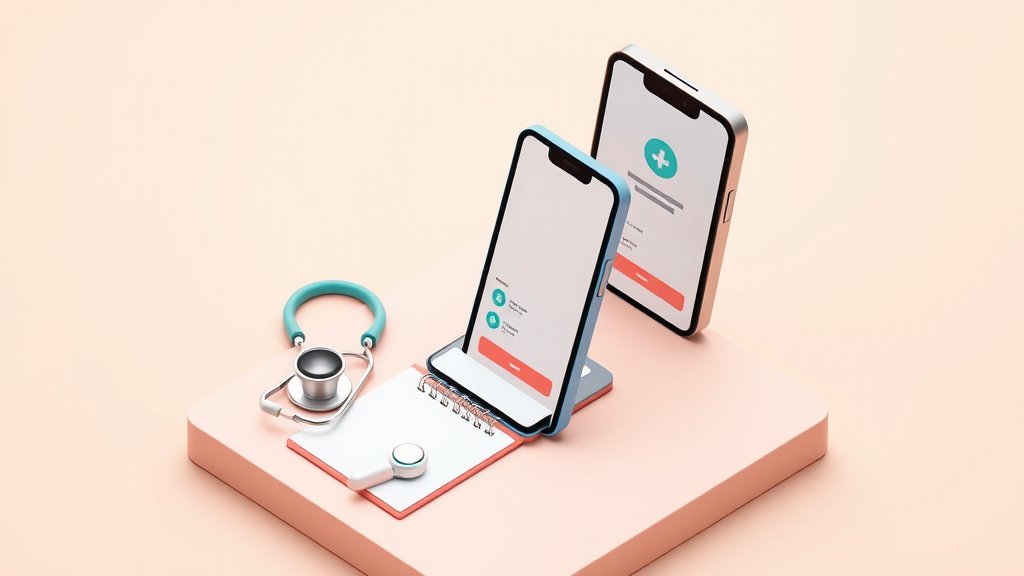
Digital Business Card for Nurses: Build Your Professional Network Across Every Shift and Assignment


A BizBuzz card for nurses
Everything below, already built in. Skip to it whenever you like.
Nursing is one of the few professions where you can work in three different hospitals across three different states — and still be expected to maintain a professional network that follows you. For travel nurses especially, this is a real structural challenge: every 13-week contract means new colleagues, new charge nurses, new referral relationships, and a stack of paper cards from people you met once and cannot quite place anymore.
A digital business card for nurses solves the friction of maintaining professional identity across constantly changing environments. It is a shareable page with your credentials, specialty, contact details, and a one-tap contact-save — all updated in one place, no reprint required when your certifications change or your assignment ends.
This guide covers why digital cards matter in healthcare networking, what to include (and what to leave off), and how to set one up in under an hour.
The Nursing Networking Problem
More than 1.7 million travel nurses are currently working in the United States, according to AMN Healthcare — a workforce that changes assignments every few months by design. Add in permanent staff nurses rotating between units, new graduate nurses building referral relationships, and advanced practice nurses (NPs, CRNAs, CNMs) building independent practices, and you have a massive profession with a constant, structural networking challenge.
The traditional approach — paper cards, LinkedIn, writing your number in someone's phone — does not scale when you are moving regularly and meeting dozens of new colleagues per contract.
What Nurses Actually Need from a Professional Card
A useful nursing digital card should contain:
- Full name and credentials (RN, BSN, MSN, NP, CRNA, CNM, and relevant certifications like CCRN, CEN, or PCCN)
- Specialty and typical unit type (ICU, ED, L&D, NICU, Med-Surg, Oncology)
- Compact state license status, if applicable
- Professional contact email or phone
- LinkedIn profile link
- Portfolio or publications page, for NPs and nurse educators
What most nurses do not need on a professional card:
- Personal social media accounts
- Home address
- Informal or unprofessional photos
The goal is a card that works at a professional conference, in a nursing lounge during a break, or over a QR scan when meeting a recruiter at a career fair — fast, clean, credible.
Why Digital Cards Beat Paper for Healthcare Professionals
Credentials Change More Than Once in a Career
A nurse completing an MSN, earning a specialty certification, or adding multi-state compact licenses should not have to reprint 500 cards every time they advance. A digital card updates instantly — change the credential on your profile and every link you have ever shared reflects the update immediately.
Work Location Changes Constantly
Travel nurses are the obvious case, but even staff nurses float between facilities, hold per-diem positions, or change employers over the course of a career. A digital card lets you update your current facility without redistributing anything to your existing network.
Compact License Networking
Nurses with Nurse Licensure Compact (NLC) authorization often network across state lines for assignments. Digital cards make cross-state sharing effortless — the same link works whether you are introducing yourself in Texas or Vermont.
Reducing Surface Contact
Physical card exchange in clinical settings involves surface contact that some professionals prefer to avoid, particularly in high-acuity units. Sharing via QR scan or NFC sticker tap has no contact component. In a conference or nursing summit context this is largely moot, but on a busy unit the option has practical value.
What to Put on Your Nursing Digital Business Card
| Field | Notes |
|---|---|
| Full name and credentials | Lead with credentials — they establish professional trust immediately |
| Specialty and unit type | ICU, ED, L&D, NICU, Med-Surg, Oncology, OR, etc. |
| Compact state status | Highly relevant for travel nurse colleagues and recruiters |
| Years of experience | Optional but useful for recruiter-facing cards |
| Professional contact email | Whichever address you actively check between assignments |
| LinkedIn profile | Primary professional network for healthcare |
| Certifications and publications | Relevant for NPs, nurse educators, or research nurses |
| One-sentence bio | Briefly states your specialty focus and approach |
A note on HIPAA: Your digital business card should contain only your professional contact and credential information — never any patient details, case references, or facility-specific clinical information. Digital cards are professional self-introduction tools, not clinical documentation, and nothing about standard card-sharing creates HIPAA exposure.
Practical Use Cases for Nurses
Travel Nurse Arrival
New to a 13-week contract in an unfamiliar city? Share your digital card with colleagues on day one. They can save your contact, see your specialty background, and connect on LinkedIn — building a professional foundation that makes the assignment less isolating and your reference network stronger when the contract ends.
Nursing Conferences
Events like AACN's National Teaching Institute (NTI), the Emergency Nurses Association (ENA) Annual Conference, or the Oncology Nursing Society (ONS) Congress draw thousands of nurses. A QR code displayed on your conference lanyard or name badge lets anyone scan and connect without the fumbling-for-a-card moment.
Advanced Practice and NP Networking
Advanced practice nurses building referral relationships with physicians, specialists, and hospitals benefit especially from a clean digital card that leads with credentials and specialty rather than a generic LinkedIn link.
Recruiter Interactions
Travel nurse recruiters often manage hundreds of active candidates. A digital card that lists your compact licensure, specialty, and years of experience in an easily-saveable format is immediately useful to them — and it keeps your contact attached to your information rather than disappearing into a folder full of loose papers.
Building a Long-Term Nursing Professional Network
The best nursing networks are built over time across multiple assignments and specialties. A digital card helps you maintain the connections that otherwise fade after a contract ends.
When you leave an assignment, your paper cards and manually-saved numbers get buried in contacts apps that nobody organizes. A digital card link that you share consistently across every assignment means colleagues can find your current contact information even months later — because the link never changes, only the content behind it does.
Consider adding a short professional bio that you update annually: what specialty you are currently focused on, what your career trajectory looks like, and whether you are open to new connections. Advanced practice nurses often use this approach to signal to physician colleagues and hospital administrators that they are actively building referral relationships in a given region.
Over the course of a nursing career spanning multiple specialties, travel assignments, and institutions, a persistent digital card becomes a professional home base — a single shareable link that always reflects your current credentials and context, regardless of where you physically are.
How BizBuzz Cards Works for Nurses
BizBuzz Cards is an app-and-web platform that works on any smartphone without requiring the recipient to download anything — relevant for quick exchanges in clinical or conference settings.
For nurses, the most practical features are:
- App + QR + deep-link card — share by QR scan at conferences, via text link to colleagues, or NFC tap by writing your card URL to a blank NFC sticker tag (no hardware subscription needed; blank sticker tags cost under a dollar each)
- Built-in contact-save CRM — contacts who save your card land in your BizBuzz list automatically, so you are not losing track of connections made during a busy conference day
- AI semantic search — BizBuzz's distinctive feature lets you search your saved network by context (such as "travel nurses I met at NTI" or "ICU colleagues from Texas") rather than trying to remember exact names
- Free tier (1 card) — sufficient for most individual nurses starting out
- Eco gamification — minor but visible for nurses participating in hospital sustainability initiatives
BizBuzz issues no Apple Wallet or Google Wallet passes and does not natively sync with HubSpot, Salesforce, or Pipedrive. There is no proprietary NFC hardware; use blank NFC sticker tags you program yourself.
Other Platforms Worth Knowing
| Platform | Strength | Consideration |
|---|---|---|
| BizBuzz Cards | AI search, mini-sites, built-in CRM | No native CRM integrations |
| HiHello | Simple, polished, strong free tier | Limited mini-site customization |
| Blinq | Very fast setup | Minimal portfolio options |
| Popl | NFC physical cards, badges, wristbands | Hardware cost; less practical for clinical settings |
For nurses, the bar is practical simplicity: the card must work at a conference or on a break, update easily when credentials change, and require nothing from the recipient except a phone. All four platforms above meet that bar.
Setting Up Your Nursing Digital Card: A Checklist
- [ ] Choose a platform (start free with BizBuzz Cards or HiHello)
- [ ] Add full name and all current credentials in correct order (RN, BSN, CCRN, etc.)
- [ ] Add specialty and current or typical unit type
- [ ] Note compact state license status if applicable
- [ ] Link your LinkedIn profile
- [ ] Add a professional contact email (not personal if you lose access between employers)
- [ ] Choose a professional profile photo or clean initials avatar
- [ ] Test the QR code on a second phone before your next event or assignment start date
- [ ] Save your card link in your phone notes for quick copy-paste sharing
- [ ] Add the link to your LinkedIn bio and email signature
FAQ: Digital Business Cards for Nurses
1. Is it appropriate for nurses to hand out personal business cards?
Yes — professional networking cards (separate from any facility-issued ID) are widely used among nurses at conferences, during travel nursing, and in advanced practice contexts. The key is keeping content strictly professional.
2. Can I include my current facility's name?
Check your employer's policies first. Many nurses list their current facility as employer context but use a personal email so contacts are not funneled through a work inbox they lose access to at assignment end.
3. What if my credentials or certifications change mid-assignment?
Update your digital card profile. The change takes effect immediately across all shared links — no reprints or redistribution needed.
4. Do nursing recruiters respond to digital cards?
Yes. Recruiters consistently manage high volumes of candidates, and a shareable link with clean credential and specialty information makes their workflow easier. A link is also easy to forward to a staffing team colleague.
5. Is a digital card secure enough for healthcare professionals?
Digital business cards contain only public professional information — the same data you would put on any paper card. They do not access or store clinical data and carry no HIPAA implications when used to share professional contact information.
6. Can travel nurses use one card across all assignments?
Yes — that is one of the core advantages. Update your current assignment context or leave your specialty as the focus, and the same shareable link works regardless of which facility you are currently placed at.
7. What is the fastest way to share a digital card at a crowded nursing conference?
Set your card's QR code as your phone's lock screen image. Anyone can scan it immediately without you even unlocking your phone — fast enough for a hallway introduction between sessions.
Sources
- Travel Nurse Job Outlook and Trends in 2025 — AMN Healthcare
- 18+ Travel Nursing Statistics and Trends for 2025 — Betternurse.org
- Effective Networking Strategies for Healthcare Professionals in 2025 — OMNISTARR
- Digital Business Card Templates for Healthcare — Uniqode
- 30 Digital Business Card Statistics — Wave Connect
- Top Digital Business Cards Compared (2026) — Blinq
- Travel Nursing Statistics 2026 — WiFi Talents
Built for nurses, not for everyone
You just read what actually works for nurses. Set up the same kind of card for yourself — it takes a few minutes and nothing to install.
Create your card →Keep reading
Digital Business Card for Graphic Designers: A Portfolio That Travels Everywhere
Digital Business Card for Insurance Agents: Win the Long Sales Cycle
Digital Business Card for Surf Coaches: Build a Brand That Travels with the Tide