QR Code Business Card for Events: The Complete Networking Guide (2026)


Or skip the chip shopping
A BizBuzz card arrives with the right chip already encoded.
Walking a conference floor with a stack of paper cards is a 1995 workflow. A QR code business card for events changes this equation entirely: one scan drops your full contact profile — name, title, links, booking page, headshot — directly onto someone's phone in the moment. No fumbling for cards. No retyping. No "I'll find you on LinkedIn later" that never happens.
This guide covers the complete event networking workflow: optimizing your card before you arrive, sharing tactics during the event, lead capture for high-volume scenarios like trade shows, and the follow-up process that actually converts connections to relationships.
Why QR Code Business Cards Work Especially Well at Events
Events create conditions where paper cards fail most:
- Volume: Meeting 40–80 people in a day means both parties forget context fast
- No time to type: People save contacts during conversations, not after
- Physical constraints: Conference lanyards, badge holders, and crowded booth tables aren't designed for card distribution
- Follow-up decay: The probability of a meaningful follow-through drops with every hour after the event ends
A QR business card addresses each failure point. The contact is already in the recipient's phone before you part ways. Your name, title, and relevant links are searchable in their contacts immediately. And because the card is a live web page, you can update it the moment anything changes — no reprinting required.
The numbers reflect this shift. Bitly's 2026 QR Code Scans report documents a 57% year-over-year surge in QR code scanning across 50 countries in 2025, driven significantly by in-person event contexts as professionals adopt digital-first networking workflows. Survey data compiled by Wave Connect suggests approximately 48% of professionals now use digital business cards specifically at conferences.
Before the Event: Setup Checklist
Good event performance starts before you arrive. Run through this checklist in the 24–48 hours before the event.
Update Your Card for Event Context
Your everyday card may not be optimized for a specific event:
- Update your headline to reflect the event: "Speaking at [Conference Name] — ask me about content strategy" is more memorable than a static job title
- Add an event-specific link: If you're presenting, link to your slides or an event landing page; if you're exhibiting, link to a product demo or special offer page
- Refresh your headshot: High-traffic events mean a lot of faces. A clear, recent headshot helps people place you when they review their saved contacts later
- Audit your primary CTA: "Save Contact" should be the first, most prominent button on your card — not buried below social links
With BizBuzz Cards, any card update takes effect instantly and automatically across all existing QR codes — no reprinting, no new link to share.
Prepare Multiple Sharing Methods
Plan at least two sharing options before the event starts:
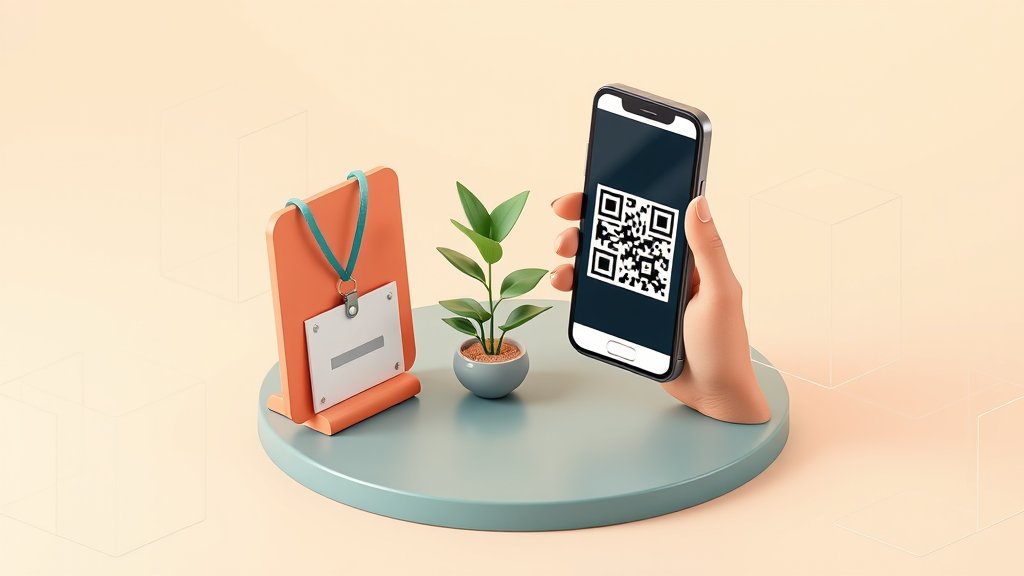
- QR code on your badge (see badge setup below)
- QR code image on your phone — save it to your camera roll for offline display; venue Wi-Fi is often unreliable
- Direct URL share — have your card URL copied to your clipboard, ready to paste into a text or WhatsApp message
Print a Badge Insert
Most conferences use standard badge holders. Print a small insert card (roughly business card size) with:
- Your QR code at 4 × 4 cm or larger, centered
- Your name and company below it
- A short cue: "Scan for full contact" works; so does your card URL for those who prefer typing
Slip this behind your official badge, QR code facing outward. Every lanyard conversation is now a visible opportunity for a scan.
Download Your QR Code for Offline Use
Go to your BizBuzz Cards dashboard and download your QR code as a PNG (1000px or higher). Save it directly to your phone's Photos app. If the venue Wi-Fi is down or your data signal is weak, you can still show the image and the recipient can scan it — their phone's camera doesn't need your internet connection to read the code.
At the Event: Sharing Tactics
The Scan-First Handoff
When meeting someone, instead of searching your bag for a card, open your QR code image on your phone and offer a scan. This approach has structural advantages:
- Faster than finding a physical card
- Creates a natural conversational pause ("let me pull up my card")
- The recipient scans on their own device — no passing your phone to someone you just met
- Works whether or not you have physical cards on you
For mutual exchange, ask to scan their card too. If they're using any QR business card platform, this takes under 10 seconds combined. If they hand you a paper card, photograph it immediately — don't rely on reading it later.
The NFC Option (No Specialized Hardware Needed)
NFC can complement QR sharing without requiring any dedicated NFC business card hardware. A pack of blank NFC tags (NTAG213 chips) is available for well under a dollar per tag in small quantities at most online retailers. Use any free NFC writer app on Android to write your BizBuzz Cards URL to a tag, then embed it in your badge holder or attach one to the back of your phone case. A tap opens your profile just like a scan does — same URL, same card.
This is a useful secondary option for busy events where offering your phone for a scan might feel awkward. Tags in badge holders are particularly effective at sit-down networking sessions or roundtable lunches.
Booth and Table Scenarios
If you're exhibiting or staffing a table at an event:
Table tent QR display: Print your QR code at 10 × 10 cm or larger on a folded table tent placed at eye level. Add "Scan for [your name]'s contact + [your booth's main offer]" as the call-to-action line.
Pull-up banner: If you have a branded banner, add your QR code to the lower third where it's within phone camera range. Text above: "Connect with us digitally."
Team cards: If you're at the booth with colleagues, each person should have their own QR business card for individual contacts. For the booth overall, consider a shared QR code linking to your company page or lead capture landing page.
BizBuzz Cards' built-in contact-save CRM shows you in real time which conversations converted to actual contact saves. After a six-hour trade show floor day, this data helps you prioritize follow-up rather than working from memory.
Talking Points That Prompt Scans
People are more likely to scan when there's a clear reason. Try these:
- "I have all my links on my digital card — easier than giving you ten things separately"
- "My booking link is on there, so you can grab a time without going through email"
- "Scan this and you'll have my contact plus the resource I mentioned — I just updated it this morning"
The last one works particularly well if you've customized your card headline for the event.
Lead Capture at High-Volume Events
For trade shows, sales exhibitions, or events where you're explicitly generating leads rather than just networking, the approach scales differently.
Pre-Qualify Before Sharing
At high-volume booths, not every conversation warrants the same follow-up intensity. In the moment, decide: immediate follow-up, nurture, or no action. Some platforms let you tag scans or contacts with a lead-quality flag. If yours doesn't, a quick voice memo immediately after each conversation ("name: Sarah, company: Acme, interested in enterprise pricing, follow up by Friday") preserves context without losing momentum.
The "Scan and Notes" Pattern
As soon as someone scans your card and the conversation ends, note one line of context in their newly saved contact on your phone. Add the event name and one detail from your conversation: "Met Fintech Forum booth 204 — interested in API integration, CTO." This context is invaluable when sending follow-up emails 48 hours later.
BizBuzz AI Semantic Search for Post-Event Findability
One distinctive BizBuzz feature worth using to your advantage at events: AI semantic search allows people on the BizBuzz network to find your card by describing you rather than typing your exact name. After a busy conference, someone who saved dozens of contacts and remembers "the marketing automation person from the SaaS track" can find you on BizBuzz without remembering your name. Mentioning "I'm on BizBuzz Cards — search for me if you misplace my contact" is a credible event-day talking point.
After the Event: Follow-Up Workflow
The event is when you collect contacts. The follow-up is when relationships start.
Within 24 hours:
- [ ] Review who saved your card (via BizBuzz CRM or your platform's analytics)
- [ ] Send a personal follow-up to every high-priority contact — email or LinkedIn — referencing something specific from your conversation
- [ ] Connect on LinkedIn with a note: "Great to meet at [Event Name] — [one sentence callback to what you discussed]"
Within one week:
- [ ] Any warm leads from the event get a second touchpoint: a specific resource, an introduction, or a direct meeting request
- [ ] Add event contacts to your newsletter list only if they've explicitly opted in
- [ ] Update your card headline back to your default, removing event-specific copy
Ongoing:
- The eco gamification feature on BizBuzz Cards tracks digital shares you made at the event, adding to your running total of paper cards replaced — a small but visible sustainability signal in your professional profile.
Event Tool Comparison
| Feature | BizBuzz Cards | HiHello | Blinq | Popl |
|---|---|---|---|---|
| Contact-save CRM | Free tier | Business plan | Business plan | Pro plan |
| Real-time card updates | Yes (instant) | Yes | Yes | Yes |
| AI findability after events | Yes (semantic search) | No | No | No |
| NFC hardware option | DIY blank tags | Not offered | Not offered | Optional purchase |
| Lead capture forms | Paid tiers | Business plan (Events) | Business plan | Pro plan |
| Eco gamification | Yes | No | No | No |
FAQ
Can I update my QR code business card mid-event if something changes?
Yes. Any update to your card content — headline, new link, contact info change — takes effect instantly and automatically across all existing QR codes. You don't need to generate a new code or reprint anything.
What if someone's phone camera won't scan my QR code?
Have your card URL ready to share directly via text, WhatsApp, or any messaging app. This is rare — both iOS and Android have had native QR scanning in the camera app for years — but a typed URL is a reliable fallback.
Is it appropriate to use a digital business card instead of a printed one at formal events?
In most professional contexts today, yes. At very formal occasions — certain legal, financial, or executive environments — carrying a minimal printed card alongside your QR code is a reasonable hybrid. The printed card handles protocol; the QR code carries your digital contact details.
How do I handle networking when I don't have a data connection?
Save your QR code image offline on your phone before the event. Your phone can display the QR code image without a connection; the recipient's camera reads it. They'll need data or Wi-Fi to load your card, but most venues have at least partial connectivity.
Can I use one QR code business card across multiple events throughout the year?
Yes. Your QR code links to your live card URL, which you update as needed for each event — headline, links, context — and revert after. The same printed code works at every event indefinitely.
What's the best way to display a QR code at a conference booth?
A printed table tent with your QR code at 10 × 10 cm or larger, placed at standing eye level (or slightly below for sit-down tables). If you have a pull-up banner, add the code to the lower third within phone camera range. Test the scan distance at your actual booth before the event day.
How do I follow up without being intrusive after meeting someone at an event?
A single personalized email or LinkedIn note within 24 hours, referencing a specific detail from your conversation, is professional and expected. Lead with value — a resource, an introduction, or a direct answer to something they mentioned — rather than a sales pitch. Most people appreciate the prompt follow-through.
Sources
- Bitly State of QR Code Scans 2026: https://bitly.com/blog/state-of-qr-code-scans-2026/
- Wave Connect — QR Code Statistics: https://wavecnct.com/blogs/qr-code-statistics
- Wave Connect — Business Card Statistics: https://wavecnct.com/blogs/business-card-statistics
- Digital Business Card Statistics 2026: https://www.digitalbusinesscard.com/blog/digital-business-card-statistics
- QR Code Chimp — Digital Business Card Statistics: https://www.qrcodechimp.com/digital-business-card-statistics/
- Research Nester — Digital Business Card Market: https://www.researchnester.com/reports/digital-business-card-market/6782
We already did this part
BizBuzz cards ship with the right chip and a hosted profile behind it — no sourcing NFC tags or writing URLs to them yourself.
Get a card →Keep reading
QR Code Business Cards: The Complete 2026 Guide (How to Make One That Actually Works)
Best QR Code Business Card Apps in 2026: Honest Comparison